Client Monitor
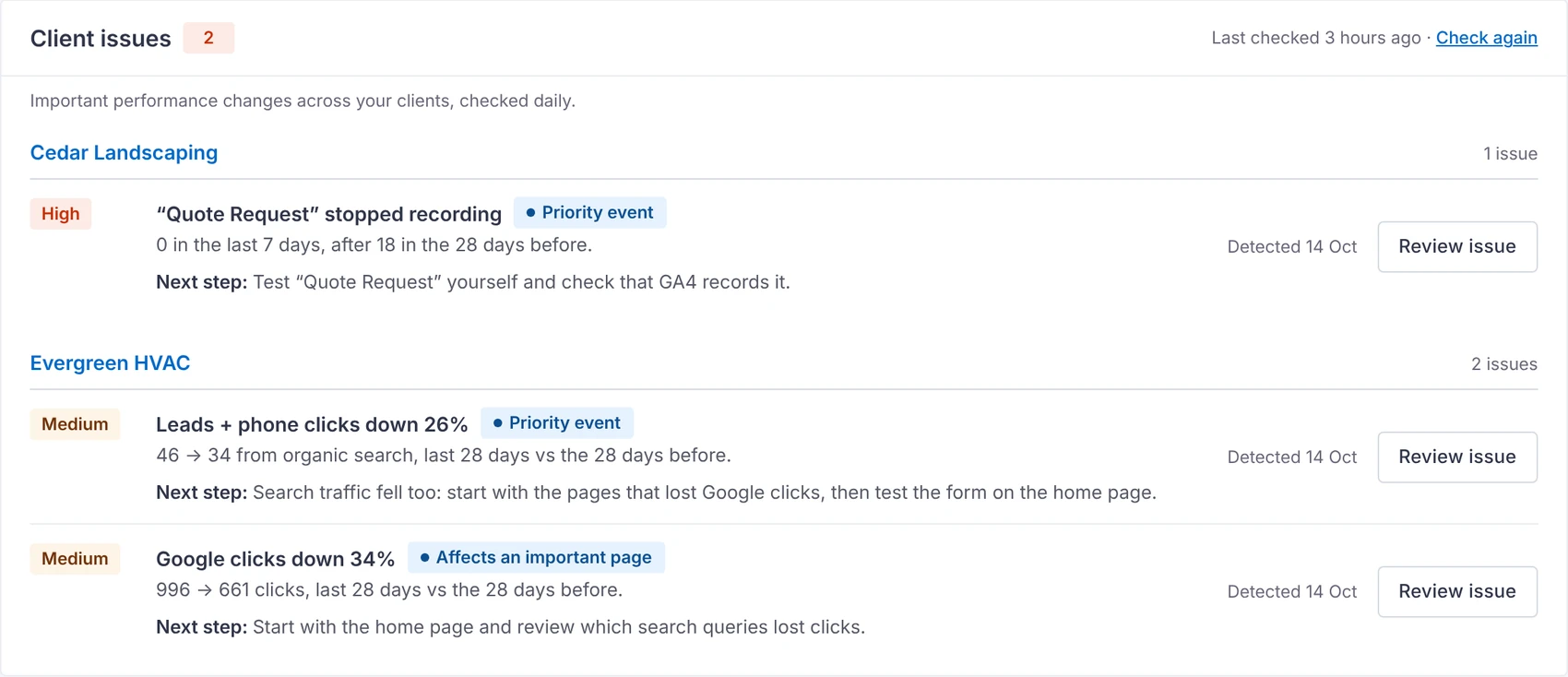
TurtleReport → Client Monitor shows every client on one screen: which need attention, which are doing well, and what to check next.
How a client gets flagged
Once a day it compares each client’s last 28 days with the 28 days before, using the same Search Console and GA4 data as the reports. A client is flagged when:
- Google clicks fall 20% or more (with at least 100 clicks before)
- Leads fall 25% or more (with at least 10 before)
- An important page (a top page by clicks, or one that brought leads) loses 30% or more of its clicks
- Keywords that brought clicks drop 3 or more places (at least three of them, or 30+ clicks lost)
- A conversion event records nothing for 7 days after a steady month while visitors keep arriving
Only big drops in Settings raises these thresholds. An alert clears by itself once the numbers recover past a lower level, so it doesn’t flicker on and off. Related page and query changes are grouped together rather than producing duplicate alerts.
No AI here
The Client Monitor's checks and "what to check" lists are fixed rules applied to your own numbers, on your server.
Working an issue
Click Review issue to see the numbers, what the data suggests and the recommended checks, naming the page and keyword.
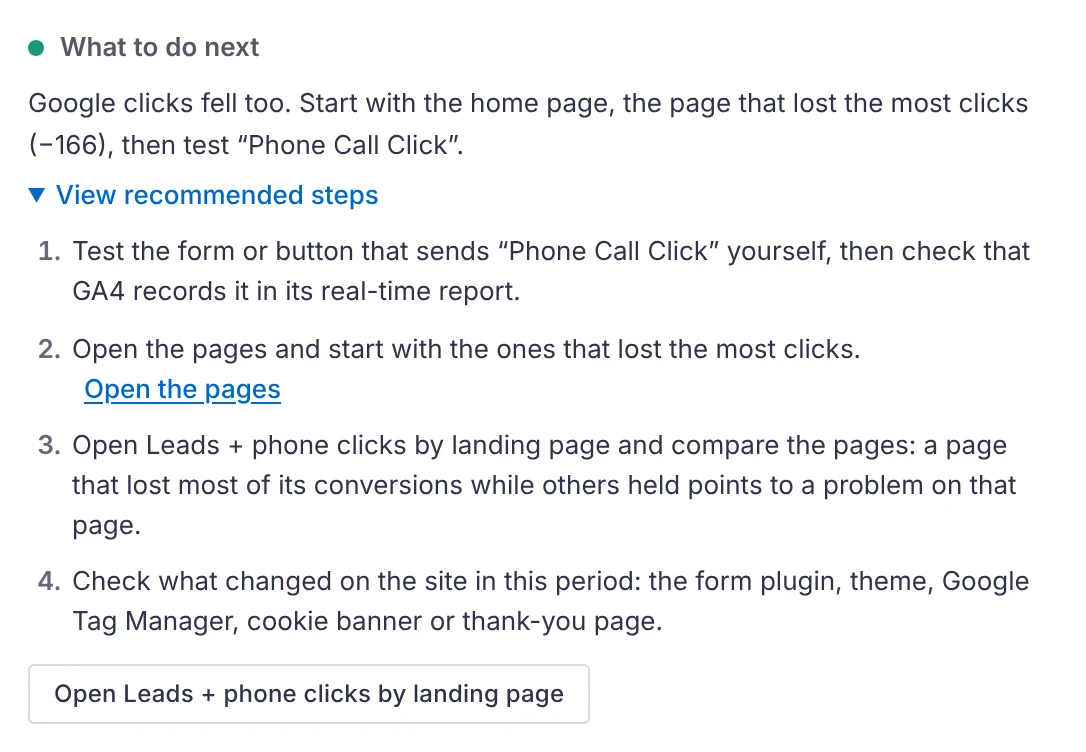
- Mark as handled, or Snooze 7 days, and restore it later if needed.
- Set client goals, important pages and priority conversion events so the most relevant issues come first.
- Issues resolve when the numbers recover. If a source fails, earlier alerts are kept.
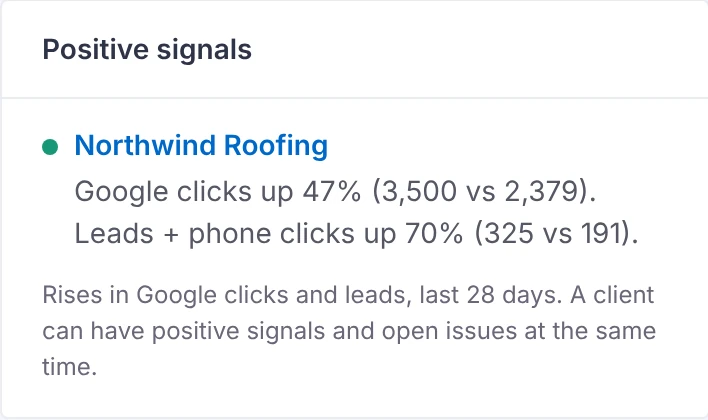
Positive signals
Clients with rises in Google clicks and leads are listed with the numbers behind them. A client can have positive signals and open issues at the same time.
Weekly summary
A weekly summary email can list the clients needing attention and the top priorities. Settings → Client Monitor shows the last scheduled summary attempt and whether WordPress accepted it.