Introduction
TurtleReport is a WordPress plugin for SEO agencies. It brings each client’s Google Search Console, GA4 and Google Business Profile data into your WordPress admin, checks every client daily, and sends branded reports on a schedule.
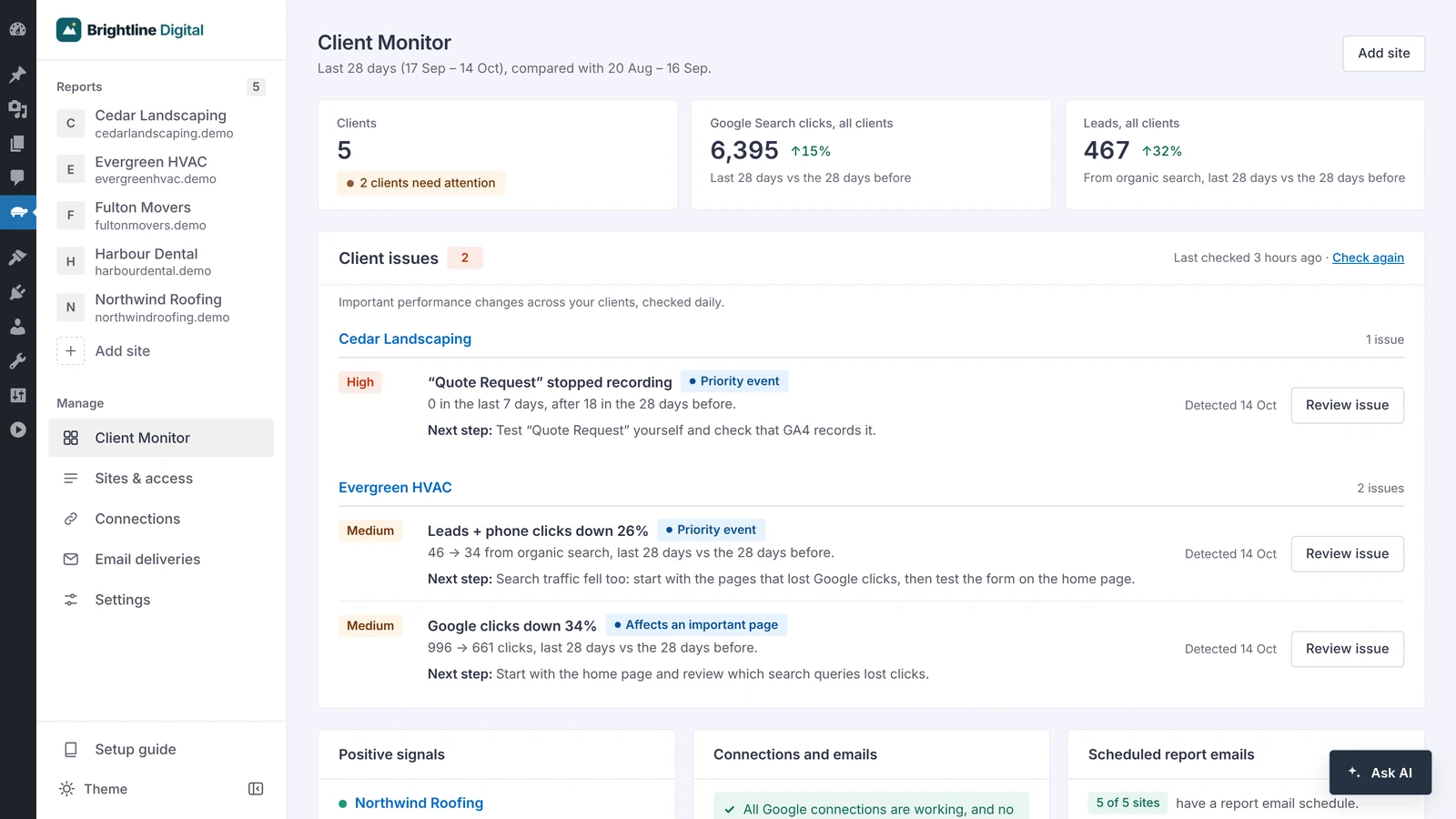
The Client Monitor. Product screens use demo data.
What it does
Every client checked daily. Real drops are listed with the numbers, the dates and a next step.
Clicks, impressions, keywords, pages, leads, AI assistant traffic and Business Profile, each beside the period before.
Branded emails with a two-page PDF, sent weekly to quarterly, with every send logged per recipient.
Optional. Ask about a client in plain English, using your own OpenAI, Claude, Gemini or Grok key.
How it works
The whole setup in under a minute. No sound.
TurtleReport uses your own Google Cloud project, so Google data comes straight to your site, not through a TurtleReport server. You set it up once:
- Create a Google Cloud project and turn on three free Google APIs.
- Connect your Google account with Google sign-in or a service-account key.
- Add a client website and choose who can see its report.
After that, adding a client takes about a minute.
Prefer to be walked through it?
The plugin's setup guide (TurtleReport → Setup guide) can open a chat in ChatGPT or Claude that already has these steps, one at a time. Keep passwords and private keys out of the chat.
Privacy in one line
TurtleReport adds nothing to your public pages and collects nothing from visitors. Requests are made from your server, and nothing is sent to the plugin author. See Data and external services.