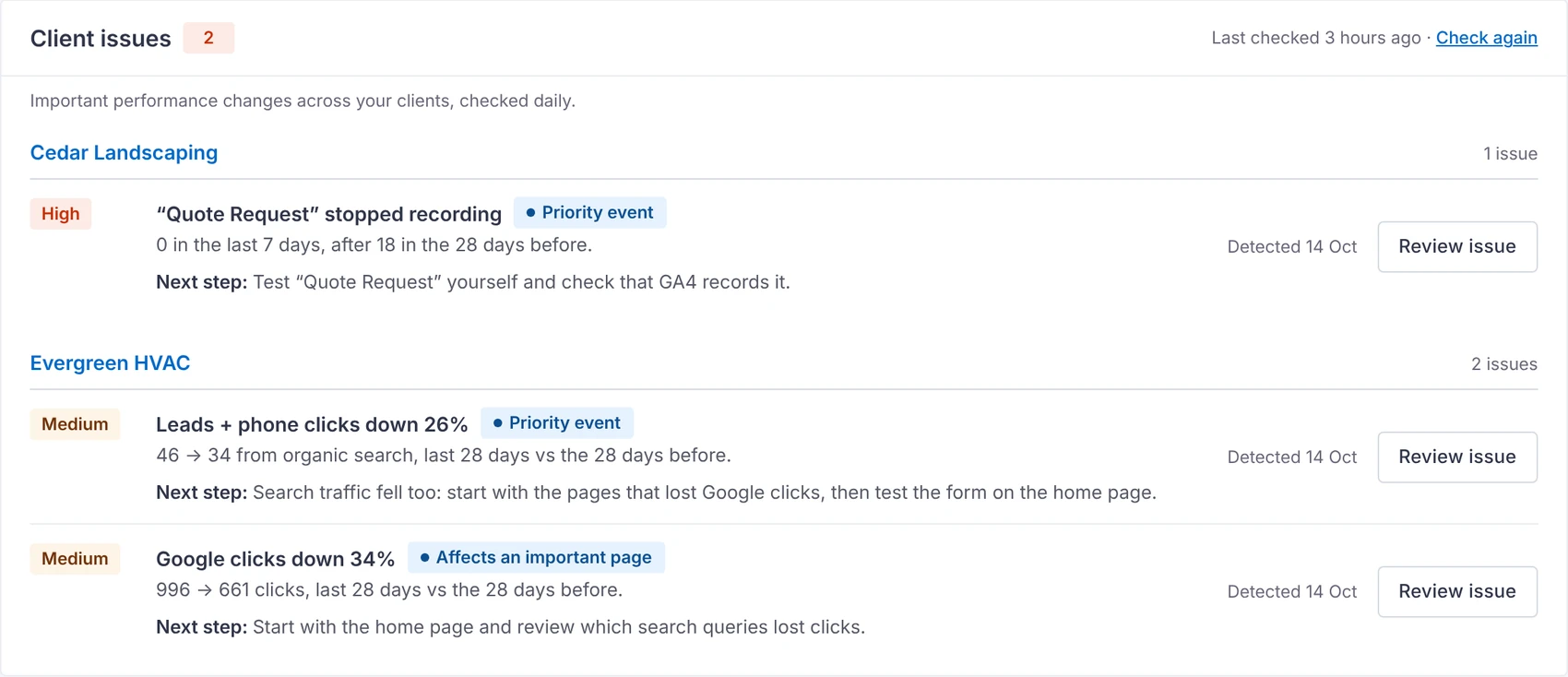
 2 clients need attention
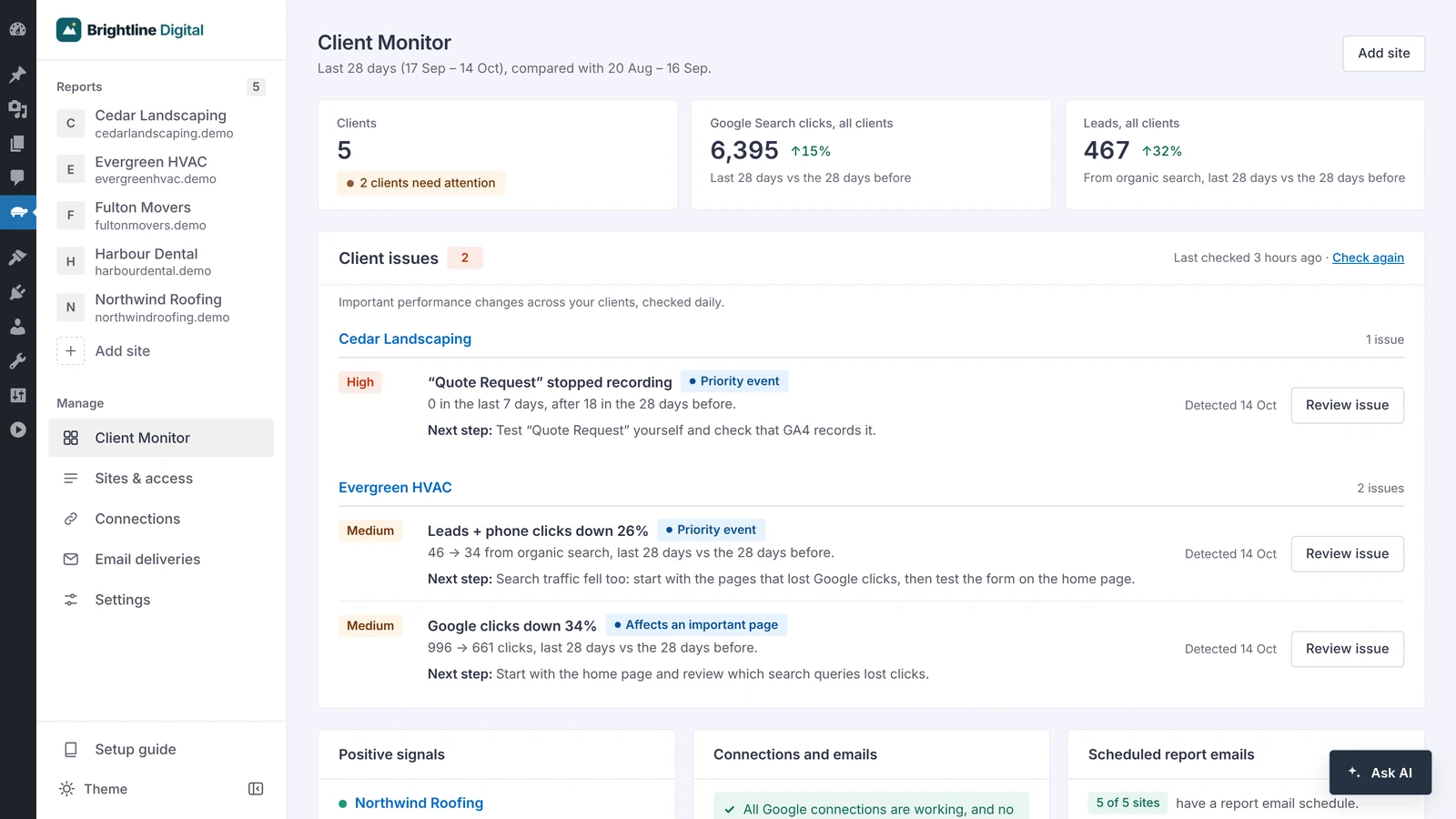
Client Monitor
Every client checked daily, with the evidence and a next step.
Explore Client MonitorMonitor performance, spot important changes, and automate client reports.
Runs inside your WordPress admin
Reads the tools
you already use
Team updates, internal meetings, and GA4, Search Console and last month's report, for every client.
Or open one screen that already knows.




Six tools in one plugin, so you stop switching between Google's screens.
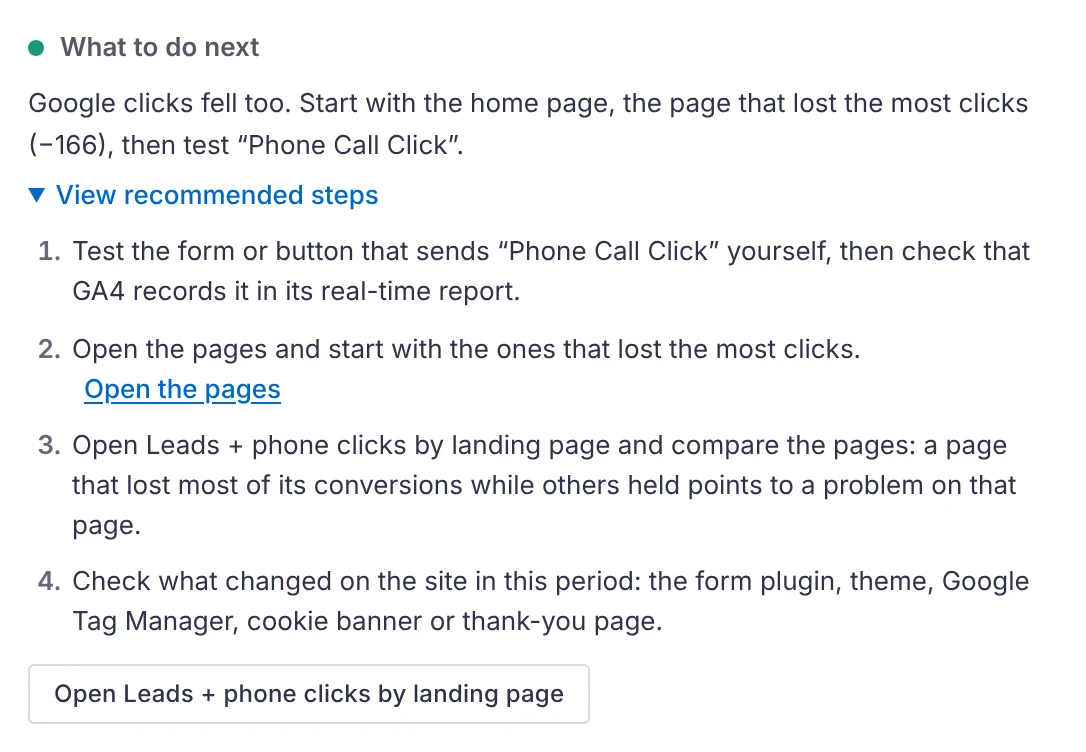
2 clients need attentionEvery client checked daily, with the evidence and a next step.
Explore Client Monitor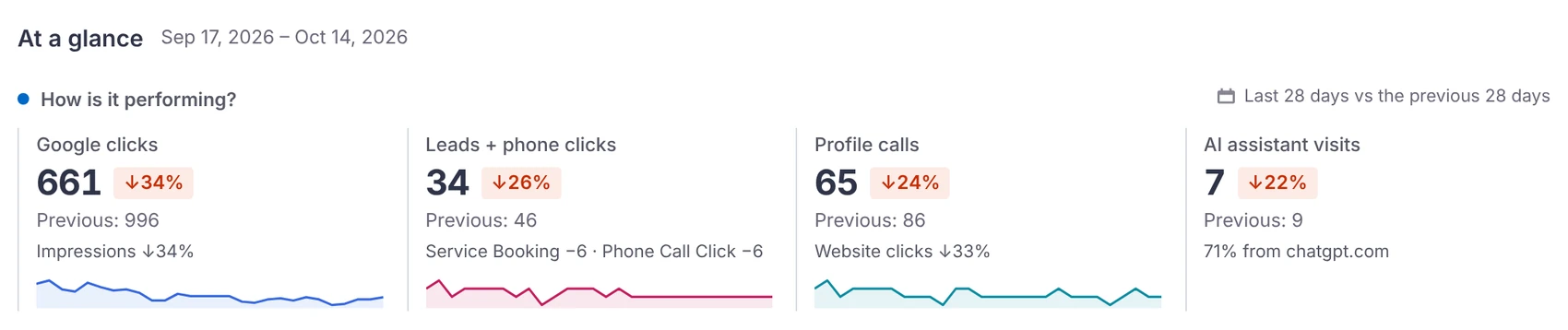
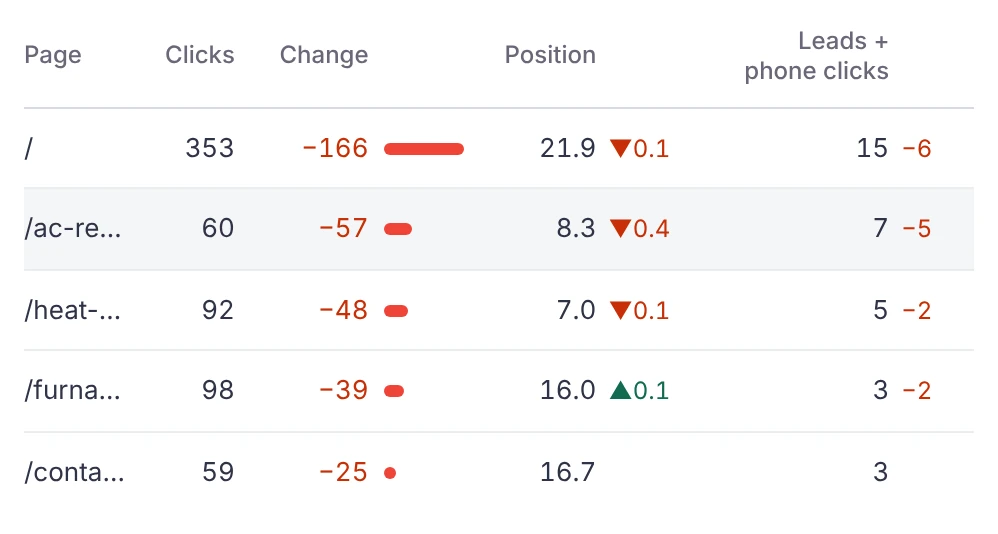
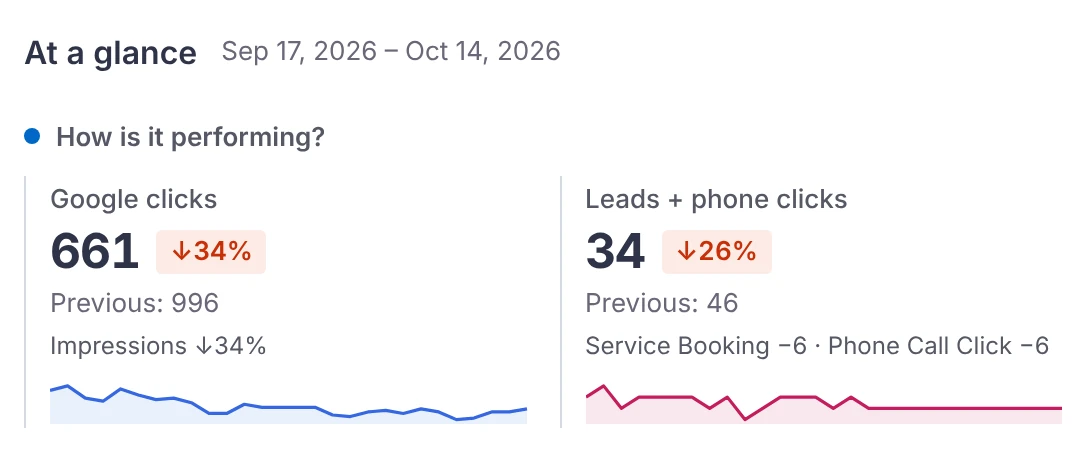
Pages and keywords that gained or lost clicks, with leads beside them.
Explore SEO reports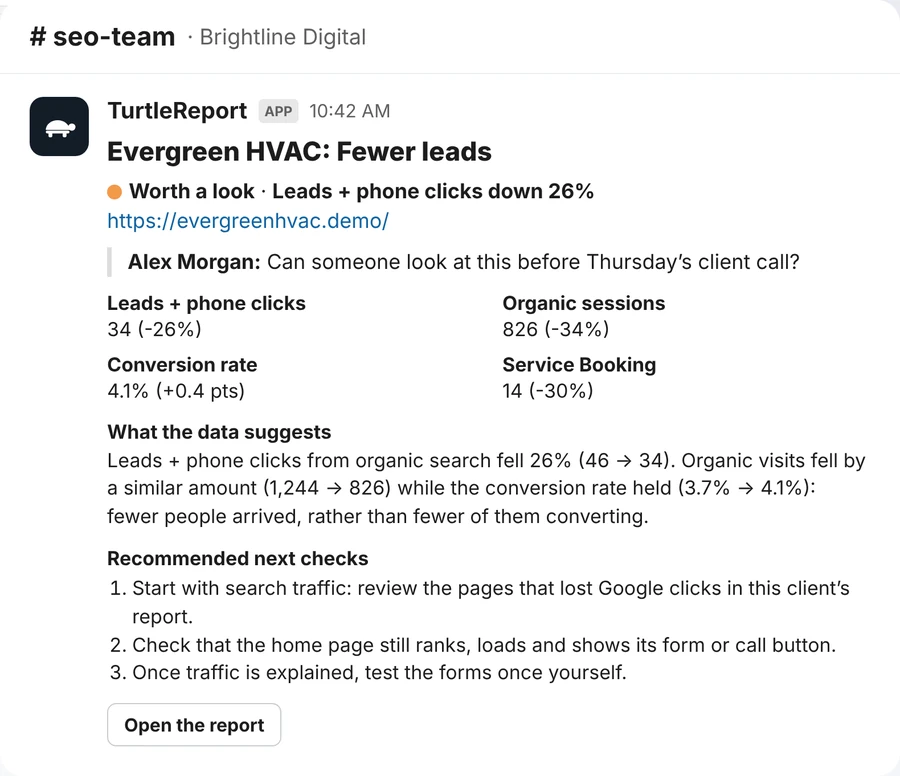 Sent to #seo-team
One click puts the issue, its numbers and the next checks in your team's channel.
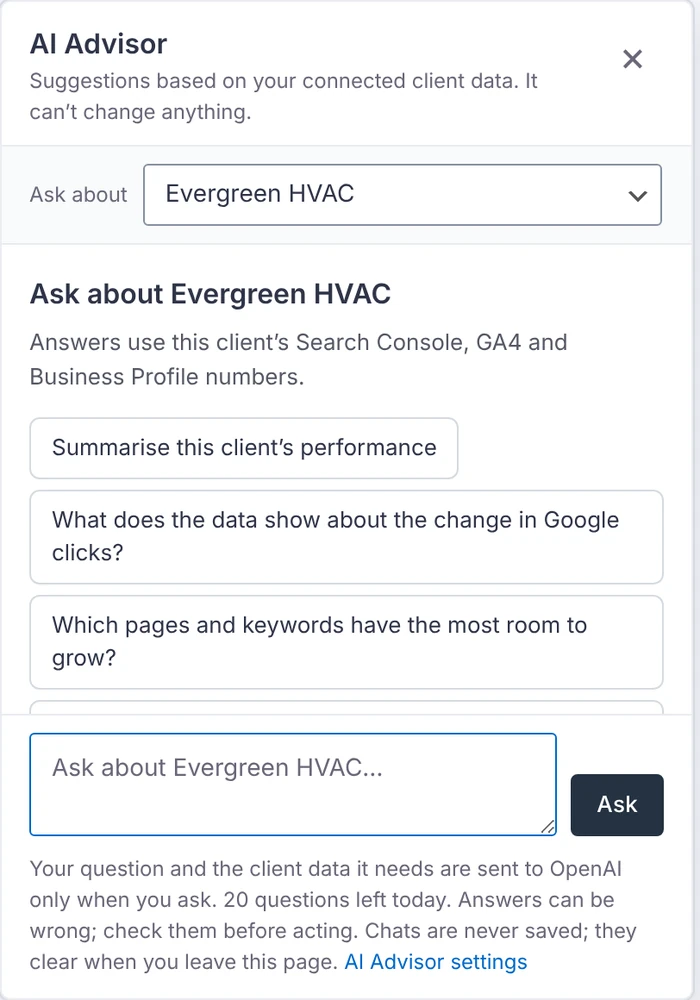
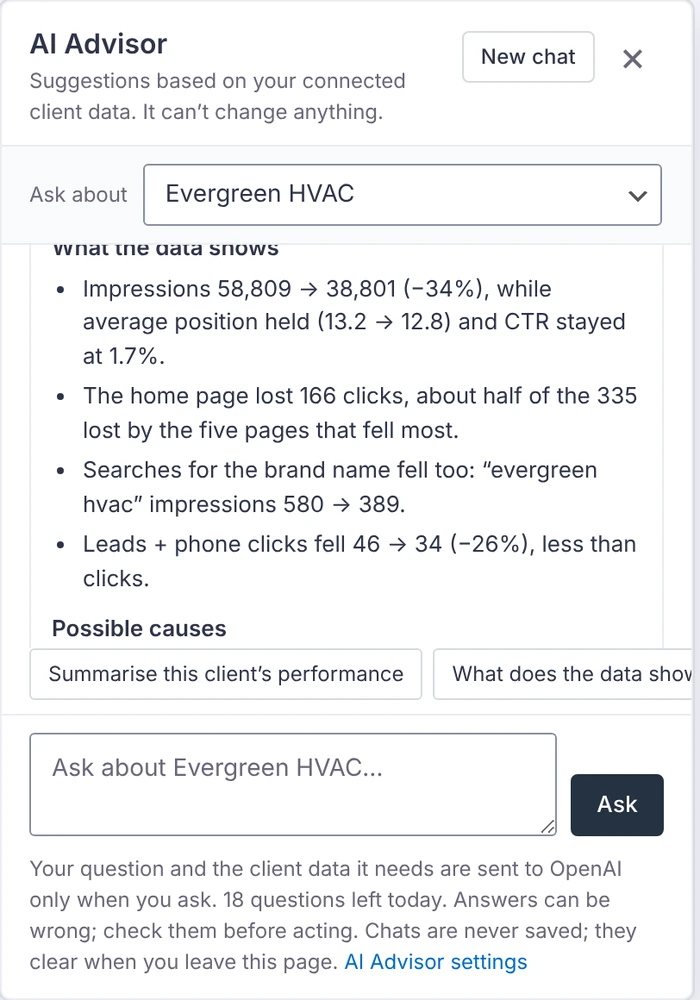
See how it works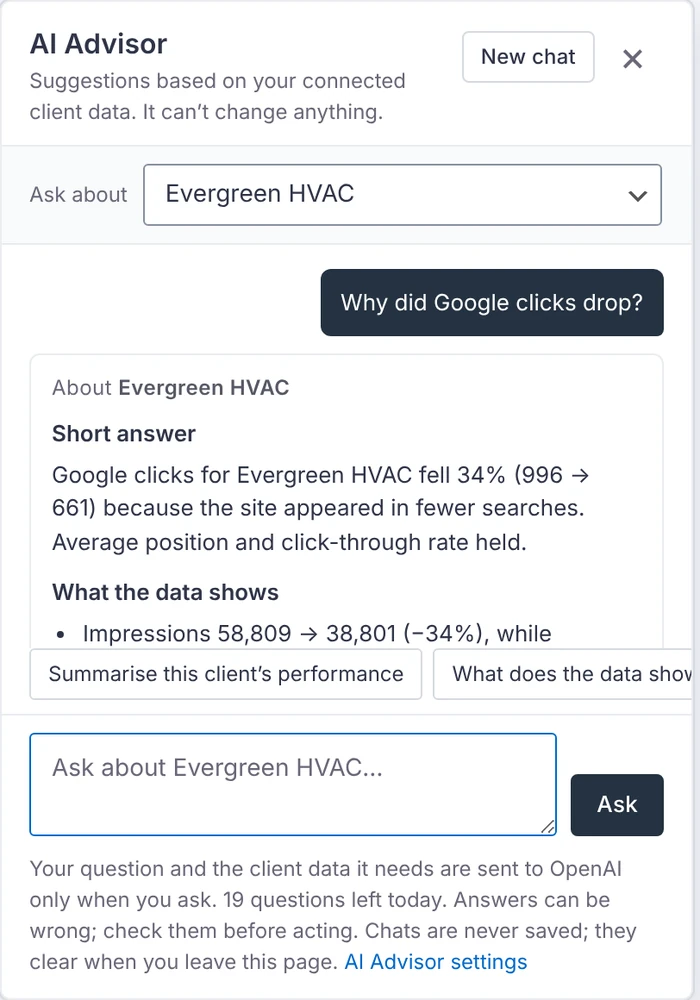 Why did Google clicks drop?
Ask about any client and get an answer from their own data.
Explore AI Advisor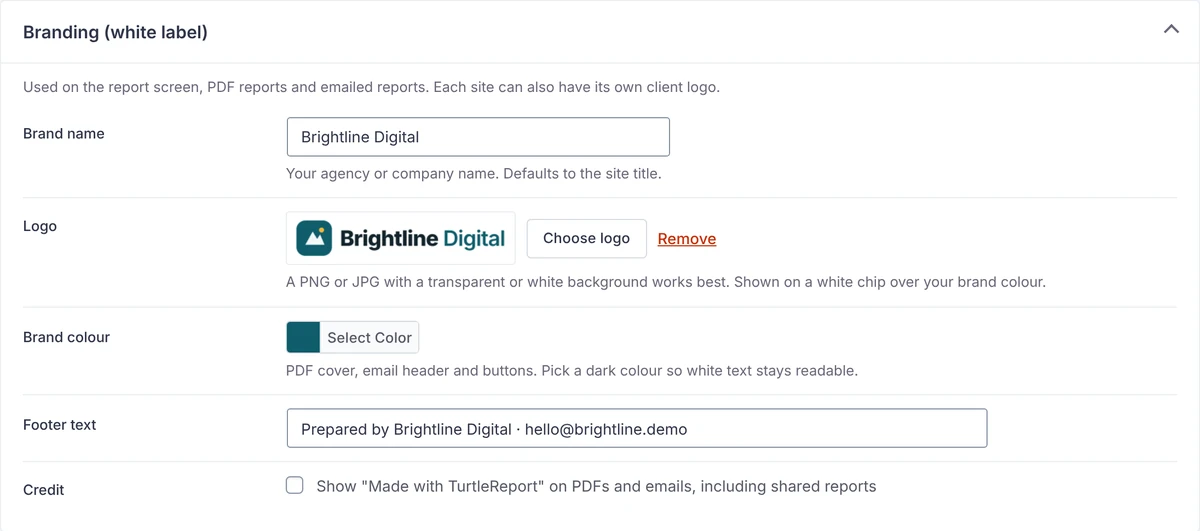
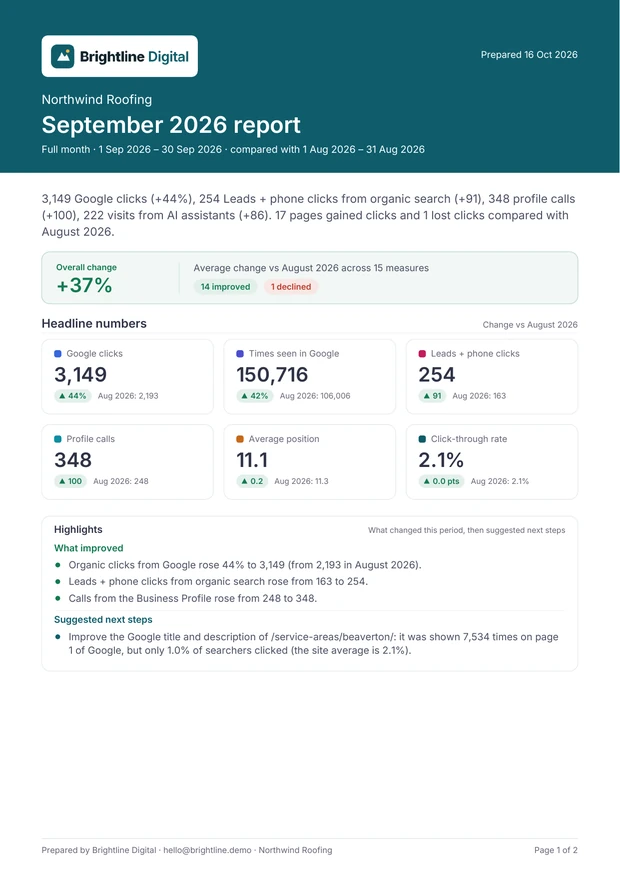
Your logo and colours on every screen, PDF and email.
See white-label reports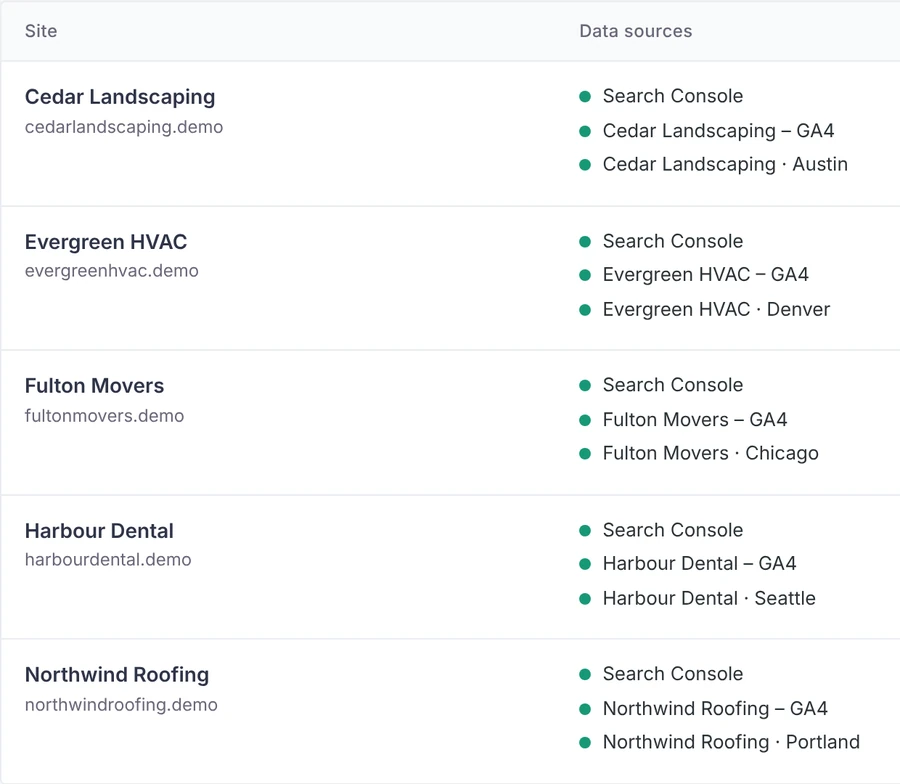 Each client sees only theirs
Give a client their own login. Every request is checked on the server.
See client accessAnswers come from the client's own data, not guesses.
Uses your own key for OpenAI, Claude, Gemini or Grok. Read-only: it never changes anything.
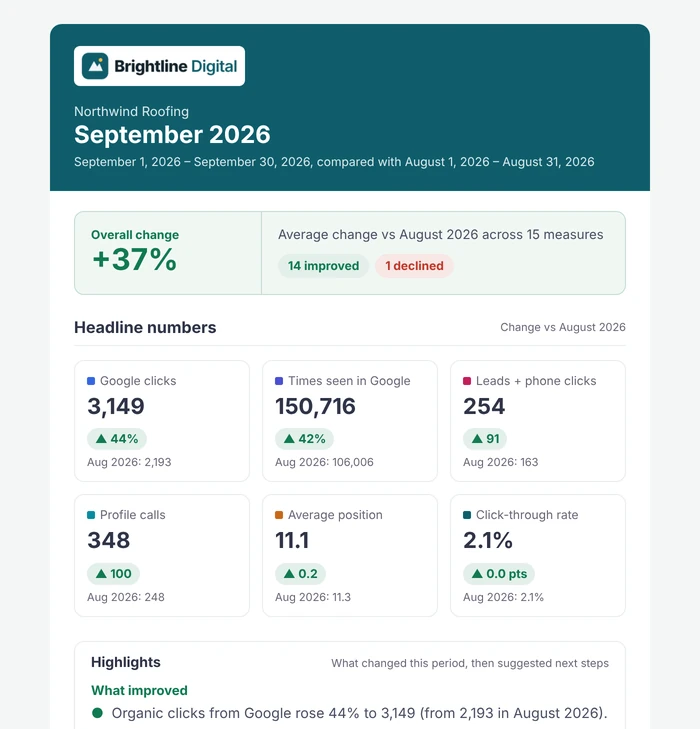
No more copying numbers into slides. Pick a schedule once.
It runs on your own server, with your own Google project.
How TurtleReport handles dataEvidence, not guesses. It never claims a cause the numbers can't show.
The built-in setup guide walks you through each step.
Watch the 1-minute setup videoTurn on three free Google APIs.
About 5 minutesSign in with Google, or use a service-account key.
Once per Google accountPick its properties and who sees the report.
About a minute per clientThe main screens, start to finish. No sound.
No. It adds nothing to your public pages and collects nothing from visitors. Its screens and scripts load only inside WordPress admin.
Search Console, GA4 conversions and traffic, visits from AI assistants, and Business Profile calls and clicks.
No. You switch it on when you want it, with your own key. The Client Monitor uses fixed rules on your own server, not AI.
No. A client login sees only the sites granted to it, and every request is checked.